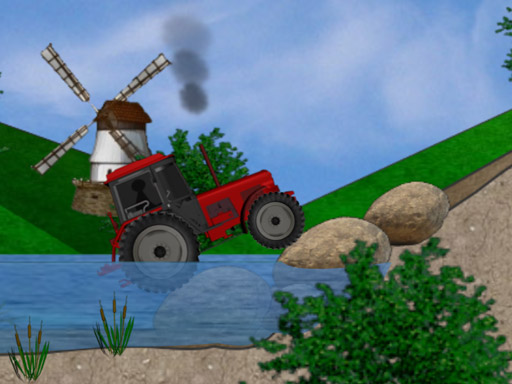
How to play Rider Online Pro
Get ready for some flippin action! Perform crazy stunts as you navigate the endless world of Rider! Choose Start above to open the game, then follow the controls and rules shown inside its own menu. Exact inputs can vary by device and game version.
In Rider Online Pro, identify the next safe route or landing area before moving toward optional items. Make a small correction and observe its effect before adding another.
Controls
Controls are simple just press Left click to move your vehicle forwardand keep left click in the air to do a cartwheel that will give you more Score or punctuation in Spanish
Tips & strategies
Look at the landing, not only the obstacle
Read a short distance ahead so you can prepare your movement before a hazard is beside you. Identify a safe landing or open corridor first, then decide whether a collectible fits that route. Optional items can tempt you away from a position that is easy to recover. In a vehicle or flight game, learn how much movement one input produces before trying narrow passages or sudden turns.
A useful next attempt
Make one deliberate correction at a time. If a run ends, notice whether the problem began before the visible collision: an early approach can set up a late failure. On the next attempt, adjust that approach instead of reacting more sharply at the same difficult point.
In Rider Online Pro, identify the next safe route or landing area before moving toward optional items. Make a small correction and observe its effect before adding another. Look for the move that opens possibilities. A useful move is not always the one that clears the most immediately; space and flexibility matter too.
Playing in your browser
If the provider takes longer to respond, use Try again to open a fresh game frame. This can reset the current session. Fullscreen expands the game area when supported. Your recent launch is recorded locally; the site does not read or restore game progress.